Home / Case Studies / Self-Storage After Hours
SELF-STORAGE · VIDEO + UNIT ALARMS
After Hours at a DFW Self-Storage Facility, From Alert to Answer on One Alarm.com Platform
What one night looks like for a self-storage manager when cameras and unit alarms work together: fewer pointless alerts, and a clear look at the ones that matter.
THE STARTING POINT
A typical drive-up facility
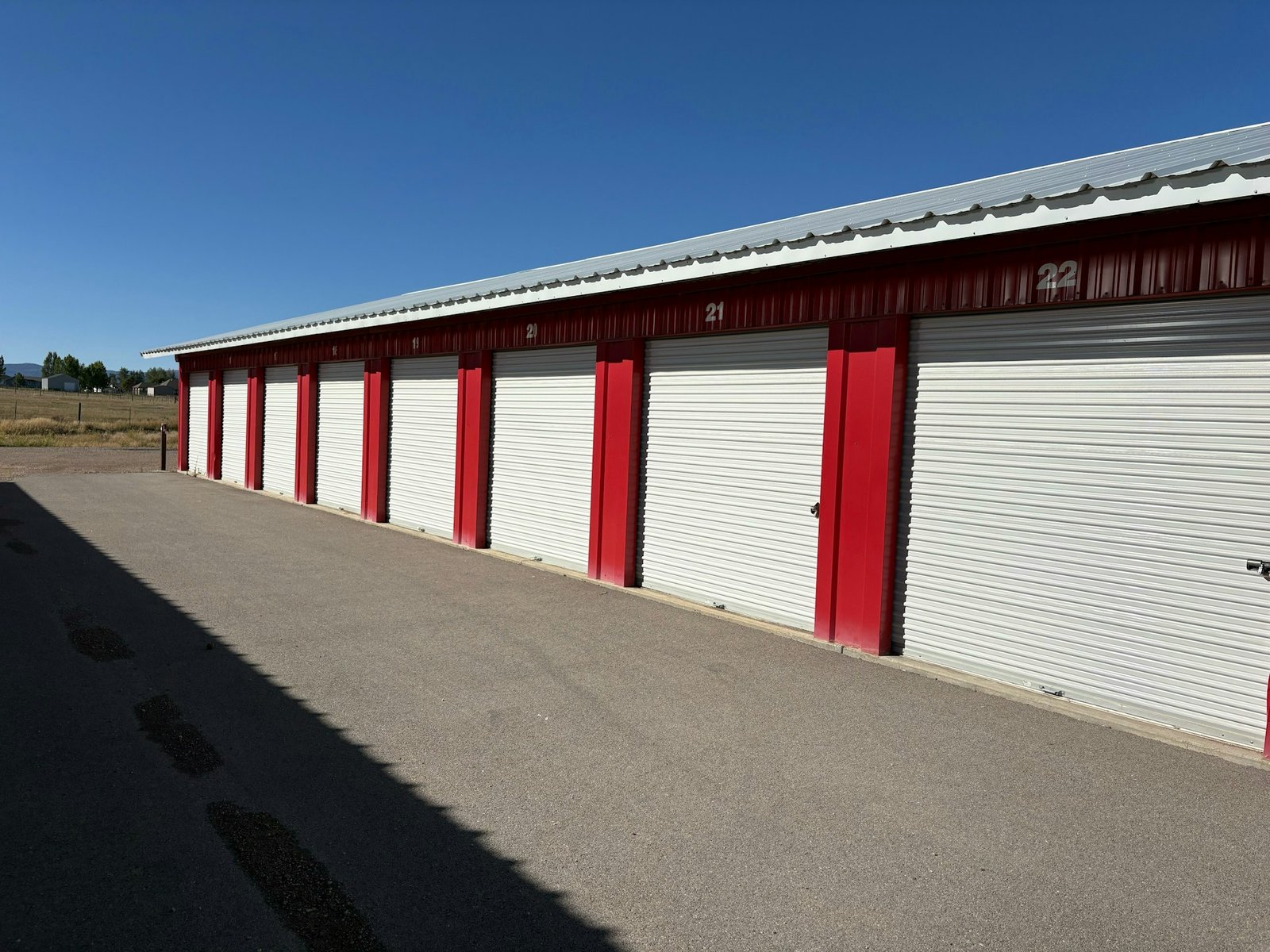
Picture a drive-up storage facility on the edge of a DFW suburb: several long buildings of roll-up doors, a small office at the front, a fence line along the back and nobody on site overnight. The cameras record around the clock and the office has an alarm, but the two don’t talk to each other. When something trips after hours, the manager gets a call, has no idea what caused it, and often drives over just to find out.
Now picture the same facility with its cameras and alarms on one Alarm.com platform, managed from one app, and alarm contacts on the doors that matter most. Here is how one night plays out.
ONE NIGHT, FIVE MOMENTS
6:00 p.m. · Closing time
The last employee arms the system on the way out. On the nights someone forgets, an alert lets the manager know the facility didn’t close the way it should have, and a quick check in the app shows whether the system is armed.
9:40 p.m. · The back fence
A virtual tripwire runs along the back fence line, active only after hours. A deer wanders along it. The analytics recognize an animal, so nobody’s phone lights up. Swaying branches and passing headlights are ignored the same way.
11:15 p.m. · A vehicle in the lot
A vehicle enters a zone that should be empty at night, and the manager gets an alert. One tap opens live video: a delivery van turning around in the front lot. No call, no drive, back to the evening.
2:05 a.m. · A unit door alarm
A contact on a unit door in building C reports through the alarm system. Before anyone gets in the car, the manager sees what caused the alarm with real-time video of that aisle and follows the facility’s response plan with the full picture in hand.
8:00 a.m. · The morning review
The team starts the day knowing exactly what happened overnight: one real alarm worth a look and two alerts already explained. The unit door gets checked, the tenant gets a call, and nobody spends the morning scrubbing footage.
WHY IT WORKS
Alerts you can trust, video you can act on
Most after-hours frustration at a storage facility isn’t a lack of cameras. It’s alerts nobody trusts and video nobody can reach in the moment. Putting the alarm and the cameras on one platform fixes both: analytics filter out the noise before it reaches a phone, and when an alarm does come in, the video of that spot is one tap away.
The result is a manager who drives over when it matters, not every time something moves.
WHAT MAKES IT WORK
The Alarm.com capabilities behind it
- A unified business platform that brings video and intrusion together in one app.
- Video analytics that tell people from vehicles and animals and ignore routine movement.
- Virtual zones and tripwires, so the back fence or an empty lot is watched only when it should be.
- Alerts when the business opens or closes outside its normal pattern.
- Real-time video when an alarm comes in, so the manager sees what caused it.
- Alarm.com sells only through authorized service providers, so a local dealer installs and supports the system.
MAKING IT REAL AT YOUR FACILITY
Seven steps to quieter nights at your facility
- Map the property. Buildings, drive aisles, the office, fence lines and any spot nobody should be in after hours.
- Decide which cameras stay. Keep what performs; add cameras only where an aisle or fence line needs a better view.
- Choose where unit alarms go. Start with the doors that matter most, such as climate-controlled hallways or end units out of camera view.
- Draw after-hours zones and tripwires. Fence lines, empty lots and the office entrance, active only when the facility is closed.
- Write the response plan. Who gets which alert, what they check on video first, and when they call for help.
- Set open and close expectations. Normal hours in the system, so a late opening or a forgotten arm gets flagged.
- Pilot one building, then review. Track how many alerts needed action and how often someone drove out for 60 days before rolling it out further.
See what this looks like at your facility
Powerhouse Guardians is an Alarm.com Authorized Service Provider in Dallas–Fort Worth. We walk the site with you, note which cameras can stay, and quote install and monthly service together.
Request a 20-Minute Site WalkFeatures vary by product, plan and site. Alarm.com is a trademark of Alarm.com Incorporated. Powerhouse Guardians Corp is an independent Alarm.com Authorized Service Provider · TX DPS #B30802201.