Resident experience · Smart home
Smart-Home Amenities Residents Notice on the First Tour
Give residents app control of locks, lights, and temperature while your team keeps owner-level control of access, vacancy settings, and device health. Installed, configured, and supported by one licensed DFW contractor.

By the numbers
What Renters Are Asking For
want smart thermostats
Source: NMHC & Grace Hill Renter Preferences Survey, 2024want keyless smart locks
Source: NMHC & Grace Hill Renter Preferences Survey, 2024want a video doorbell at the unit
Source: NMHC & Grace Hill Renter Preferences Survey, 2024Share of renters interested in, or who would not rent without, each feature.
Why it works
A Leasing Feature That Also Runs Your Operations
Stand out on tours
Smart-home features are visible, easy to demo, and increasingly expected.
A better day-to-day for residents
Keyless entry, app control, and delivery alerts make daily life simpler — a reason to renew.
Owner-level control stays with you
Resident access, vacancy settings, and device health remain under your management.
What residents get
Simple for Residents. Manageable for You.

Resident app control
Residents lock and unlock, adjust temperature and lights, create scenes, and get alerts — from their phone or a supported voice assistant.
- Smart lock, thermostat, and lighting control
- Scenes and schedules
- Unlocked-door and open-window reminders
- Voice assistant support on supported platforms

Video doorbell at the unit or home
Residents see and talk to visitors from anywhere and get motion and delivery alerts on supported devices. Pair with a smart lock for remote entry for guests.
- HD video with two-way talk
- Motion alerts on supported devices
- Pairs with the unit’s smart lock
- Doorbell devices installed outside the unit only
Clean move-ins and move-outs
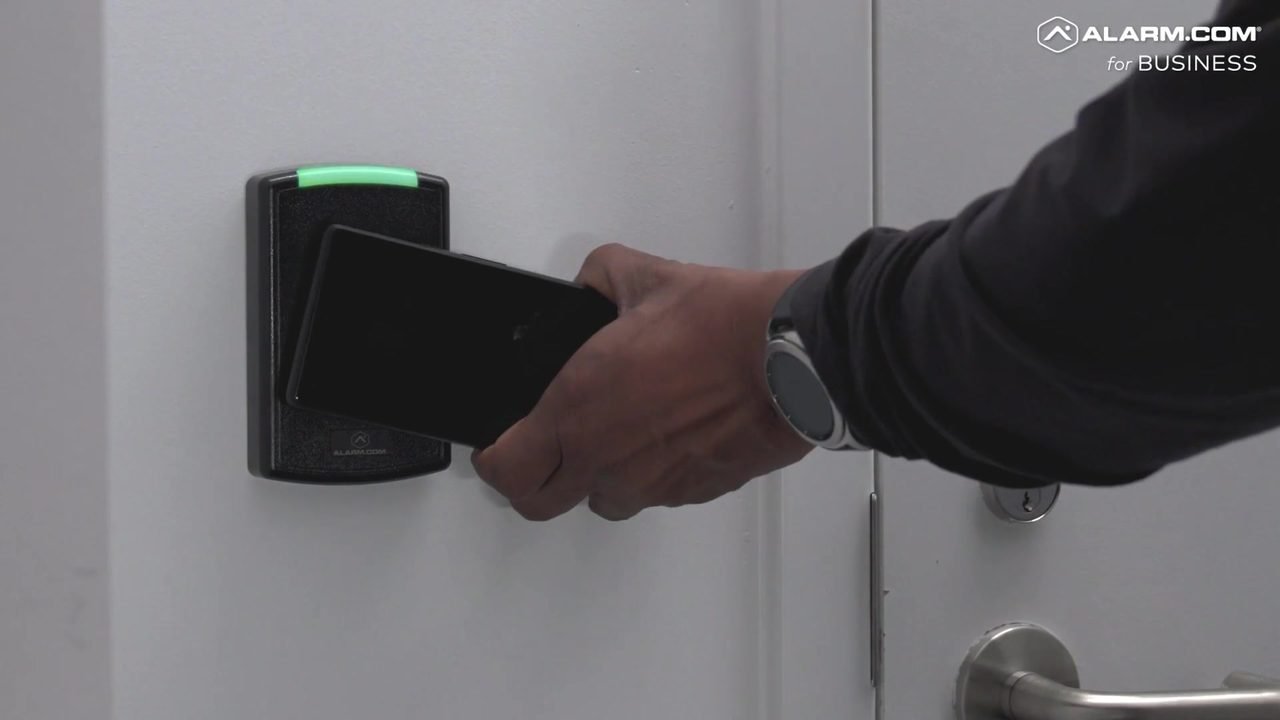
At move-in, the resident’s access and app account are created; at move-out, they’re removed and devices return to property defaults — no keys to collect.
- Resident access tied to lease dates
- Device reset and vacant mode at move-out
- Maintenance access scheduled separately
- Resident onboarding guide for your leasing team
Privacy by design
We install exterior doorbells and in-unit smart devices such as locks, thermostats, and sensors — never cameras inside residents’ homes. Residents control their own app; your team manages access and property-level settings.
Retrofit-first
Keep What Works. Layer Smart Capability on Top.
Powerhouse Guardians focuses on retrofitting and enhancing existing security infrastructure with AI integration. We keep the cameras, readers, panels, and cabling you’ve already invested in when they’re compatible and in good condition — and add only what’s missing. No rip-and-replace required.
How we work
From Property Walk to Ongoing Support
Property walk & system review
We document what’s installed — cameras, readers, panels, wiring, and network — and how your team operates.
Design & scope
Itemized keep / enhance / add recommendations, with one-time installation and monthly service quoted together.
Install & integrate
Licensed technicians handle cabling through cloud setup, scheduled around residents and staff.
Configure & train
Roles, schedules, alerts, and access plans configured for your team, plus hands-on staff training.
Support & optimize
Ongoing service, device-health checks, and tuning as your portfolio and policies change.
Tailored by property type
Built for How Your Property Operates

Multifamily Communities
Gates, entries, amenities, package rooms, and smart-apartment upgrades — retrofit what you have.
Learn more →
Build-to-Rent
Pre-wire, construction-phase security, and lease-ready smart homes across the community.
Learn more →
Single-Family Rentals
Manage scattered homes remotely with smart locks, thermostats, sensors, and doorbells.
Learn more →Short-Term Rentals
Keyless guest check-in, exterior video, and between-stay energy and leak protection.
Learn more →
Student Housing
Bedroom-level access, mobile credentials, and common-area video for by-the-bed leasing.
Learn more →
Self-Storage
Tenant gate codes, AI video on drive aisles, door and climate alerts, and records for tenant disputes.
Learn more →FAQ
Common Questions
Who owns the devices?
The property owns the installed devices. Residents are given app access for the length of their lease.
What happens at move-out?
Resident access is removed, codes are reset, and devices return to property defaults, ready for the next resident.
Can residents add their own devices?
That’s your policy decision. Some platforms allow residents to add personal devices; we’ll configure the setting you prefer.
Is this the same as your home security packages?
No — this is for property operators. Homeowners should see our residential security page.
Next step
Spec a Smart-Home Package for Your Units
We’ll recommend a standard device package by unit type, show it in a demo, and price installation and monthly service together.
Powerhouse Guardians Corp · info@powerhouseguardians.com · 7300 State Highway 121, Suite 300 PMB 1008, McKinney, TX 75070 · TX License #B30802201
Imagery shows representative scope; platform screens are illustrative. Features vary by platform, device, and plan. Alarm.com is a trademark of its owner.
[1] 2024 NMHC & Grace Hill Renter Preferences Survey (share of renters interested in, or who would not rent without, each feature), as summarized by BBC Magazine — bbcmag.com